• Blog

11 Creative Ways to Use the Enplug Webpage App

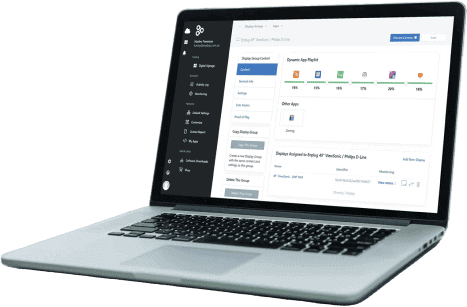
When it comes to versatility in digital signage content, few tools come close to the Enplug Webpage App. This powerful feature — built directly into the Enplug digital signage platform — allows you to display any website URL on your screens in full detail, with automatic fit-to-screen formatting and configurable refresh intervals. Whether you need to stream live data dashboards, showcase your business website, run live polls, or display real-time news, the Webpage App turns any web-connected page into instant digital signage content — no design skills or coding required. To get started, simply log in to your Enplug dashboard, select the Webpage App from the App Market, paste your URL, and you're live on screen. Here are 11 creative ways Australian businesses are using the Enplug Webpage App to get more from their displays.

1. Live Business Dashboards — Keep Your Team Focused on What Matters

One of the most popular uses of the Enplug Webpage App is displaying live performance dashboards on office or warehouse screens. Platforms like Salesforce, Google Analytics, HubSpot, Power BI, and Tableau all offer shareable dashboard views that can be displayed directly via URL on your digital signage. Putting KPIs on shared screens keeps your entire team aligned with business goals — without anyone needing to log in or check a report. Sales figures, web traffic, support ticket volumes, and manufacturing throughput become ambient information that motivates action. It's one of the highest-value use cases for digital signage in corporate and operational environments.

2. Custom Content Zones and Branded Web Templates

If you want full control over your display layout, the Enplug Webpage App lets web developers build bespoke HTML pages that combine multiple content zones — weather, news tickers, announcements, countdowns, and branded visuals — all in a single custom URL displayed on your screens. This approach is especially useful for businesses that want signage with their own look and feel, without being limited by pre-built template options. Host a lightweight HTML page on your web server, paste the URL into the Webpage App, and your fully custom zoned layout appears exactly as designed on every display.

3. Real-Time Stock Market and Financial Data

Financial services firms, trading floors, and investment offices can use the Enplug Webpage App to display live market data using tools like TradingView's Chart Widget or Yahoo Finance. With TradingView, you can embed a highly customisable chart for any stock, ETF, or index — giving clients and staff a constant, up-to-date view of market movements without needing dedicated financial display hardware. Configure your Webpage App to refresh at set intervals so the data stays current throughout the trading day. It's a professional, cost-effective alternative to expensive proprietary market data terminals.

4. Your Business Homepage or Portfolio — Always On Display

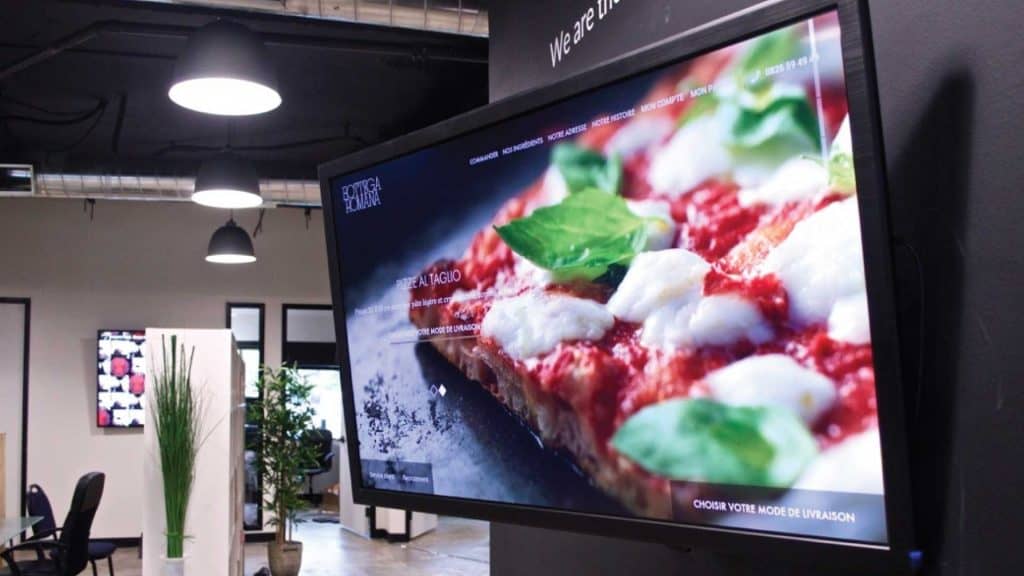
Reception areas, showrooms, and client-facing spaces benefit enormously from having your own website displayed on screen. Your homepage or portfolio page shows off your brand, your products, and your credentials to visitors the moment they walk in the door — without requiring any additional content creation. If you regularly update your website with new case studies, product launches, or blog content, set the Webpage App to refresh frequently so your displayed content always reflects the latest version of your site. It's one of the simplest ways to keep your digital signage perpetually relevant.

5. Live News Feeds for Waiting Areas and Hospitality Venues

Keeping customers informed and entertained while they wait is a proven way to improve perceived service quality. Display the front page of trusted Australian news outlets like The Sydney Morning Herald, ABC News, or The Australian directly on your screens using the Webpage App. Unlike pre-packaged news apps, displaying a news website gives you full editorial flexibility — choose the publication that best fits your audience's interests, whether that's national headlines, industry trade news, tech, sport, or local community news. Set an automatic refresh and the content stays current all day with zero maintenance.

6. Live Sports Scores and Fixtures for Sports Bars and Fan Venues

Sports bars, hospitality venues, gyms, and recreation facilities can use the Webpage App to display live sports scores, AFL fixtures, NRL tables, or cricket scoreboards directly from sports websites. Display an ESPN, Fox Sports, or AFL.com.au live scores page and keep patrons engaged with real-time match updates alongside your other digital signage content. You can also display fixture calendars or tournament brackets during major events — making your screens a genuinely useful information resource that keeps customers at your venue longer.

7. Google Slides or Canva Presentations — Published Instantly

One of the most practical everyday uses of the Enplug Webpage App is displaying Google Slides or Canva presentations on your screens. Publish your Google Slides presentation to the web via File > Publish to the Web, enable auto-advance and loop settings, then paste the generated URL into the Webpage App. Any update made to the original presentation is reflected on your screens automatically. This is ideal for staff briefing boards, daily specials, event announcements, or any content your team already manages in Google Workspace or Canva. It eliminates the need to export, upload, and reschedule files every time content changes.

8. Live Traffic Maps for Commuter-Heavy Venues

Offices, transit hubs, shopping centres, and hospitality venues with commuter foot traffic can add genuine value to their displays by showing live traffic conditions via Google Maps or a local traffic data service. Display the most relevant area for your audience — whether that's the CBD, a major motorway, or local arterial roads — and help visitors plan their journey home or onward. For businesses that want an even more seamless experience, Enplug's dedicated Traffic App offers a purpose-built alternative to the Webpage App — but for custom map views or specific URLs, the Webpage App gives you full flexibility.

9. Google Trends — Display What the World Is Searching

For digital agencies, marketing teams, media companies, and tech businesses, displaying Google Trends on office screens is both informative and conversation-starting. The live trending search feed gives an at-a-glance view of what's capturing public attention right now — useful context for content teams, PR managers, and strategy discussions. This is also a creative option for retail and hospitality environments where staying culturally relevant to customers builds brand affinity. Display the live trending searches or a specific topic trend that connects to your industry or audience.

10. Live Polling and Interactive Q&A Displays

Engage your audience in real time by displaying live polling tools like Mentimeter, Slido, or Poll Everywhere via the Webpage App. Participants vote from their phones and results update instantly on your screens — ideal for team meetings, training sessions, events, conferences, and customer engagement activations. This use case transforms your digital signage from a passive broadcast medium into an interactive communication tool. For internal communications, live polling on screens dramatically increases participation compared to email surveys — and the instant visual feedback keeps meetings energised and productive.

11. Industry News and Trade Publications for B2B Environments

Professional services firms, corporate offices, healthcare facilities, and educational institutions can use the Webpage App to display relevant industry publications, regulatory updates, or sector-specific news sources on screens in meeting rooms, lobbies, and staff areas. Rather than generic lifestyle content, displaying content that's directly relevant to your industry and audience signals professionalism and keeps staff informed without requiring them to seek out information independently. Set a custom refresh schedule to ensure content stays current throughout the business day.

Why the Enplug Webpage App Is One of the Most Powerful Tools in Your Digital Signage Stack

The core value of the Enplug Webpage App is simple: it removes the content creation bottleneck. Instead of designing custom slides for every new piece of information you want to display, you leverage content that already exists on the web — live, dynamic, and always up to date. Key advantages include:
  • Display any URL with zero design work required
  • Content updates automatically — no manual reuploads needed
  • Supports JavaScript-rendered pages, charts, dashboards, and embedded tools
  • Configurable refresh intervals keep data current throughout the day
  • Works alongside all other Enplug App Market content in your playlist rotation
  • Fully managed from the Enplug cloud dashboard — update from anywhere, on any device

Start Displaying Any Website on Your Screens Today

The Enplug Webpage App is available to all Enplug customers directly within the App Market — no additional setup or integration required. If you're already using Enplug, log into your dashboard now and try displaying one of the use cases above on your screens within minutes. Not yet an Enplug customer? Contact the Enplug Australia team today to request a free demo and discover how our digital signage software helps businesses across retail, hospitality, corporate, healthcare, and education deliver their most important communications on every screen.