11 Great Tips to be More Efficient and Focused While Working From Home
Are you one of the millions of Americans working remotely? We’re excited to share a guest blog post by Raymond Chiu of Maid Sailors, the first in our series of work from home tips.
Wherever you work, there’s always going to be distractions. It could be water-cooler conversations with your colleagues or your kids screaming for no reason.
That’s why we understand if you find it challenging to focus at work and be productive, whether your at home or in the office. That said, we’d like to share 11 tips on how you can stay focused while working from home.
Plan and Structure Your Day
To boost your efficiency and productivity as you would when working in the office, you need to plan and structure your day. If you think that you’re more productive working in the mornings, then schedule the most important tasks during this time.
You can also schedule more mundane tasks later, like checking on your emails. Make sure that you stick to a routine that works.
Tidy Up
How would you feel if you’re working in an untidy workplace?
At Maid Sailors NYC Office Cleaning, we tell our clients to ensure their work area’s cleanliness. Doing so reduces the distraction that can take your focus away from work.
This may sound like common sense, but there is a study on how clutter depletes our cognitive resources.
If you want to boost your focus and productivity, clean your desk.
Remove Unnecessary Distractions
It’s easy to be distracted, especially if you’re in an environment that you typically associate with relaxation.
To stop this from happening, get rid of unnecessary distractions.
For instance, you can set your phone into silent or airplane mode when you’re working. You can also hide the remote control on the TV or assign a designated work area.
Establish a Dedicated Workspace
As we’ve mentioned in the previous point, you need to establish a dedicated workspace that lets you be more productive. See to it that it’s free from all kinds of distractions, such as pets or the TV.
Ideally, it should have all the equipment or facilities you need to help you accomplish your goals. Ensure that it’s a place that allows you to be comfortable and productive at the same time, not an inspiring space in the attic or a windowless room.
Just like your bed reserved for sleeping, your workspace should be a place for working.
Use Productivity Tools and Apps
If you’re working from home, then chances are, you need a strong internet connection to function and do your tasks. Any lags or possible delays will waste your time.
The computer that you’re using is also vital. Let’s say your company doesn’t provide you with a laptop or a work device. We suggest that you use a high-storage and fast loading desktop to help you do your work.
Schedule Regular Breaks
Figuring out when or how long you need to take a break is tricky.
Getting too much of it might cause you to go off track. But getting too little might seem to be counterproductive, especially if you’re exhausted from your tasks.
So, it’s best to figure out what works for you and then schedule these breaks accordingly. Doing so lets you find more balance and taking a moment for yourself whenever you need to.
Breaks can also benefit you, especially if you’re stuck doing a problem, like writing content that doesn’t quite flow or a code that isn’t quite right.
So, get up from your chair, drink water, grab a snack, exercise, or do something to take your mind off your work, even for just a couple of minutes. When you return to work, you might see something that you didn’t quite notice before.
Utilize Productivity Apps
You can also utilize productivity apps to help you focus at work. And if you manage a remote team, you can use these tools to enhance internal communication.
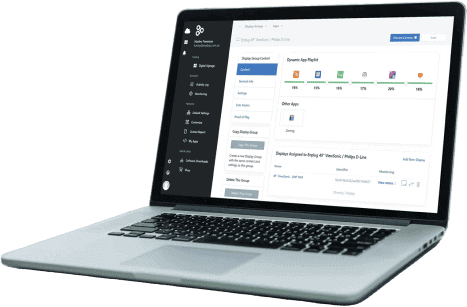
Tools like the Enplug ScreenSaver allows you to give your team a break while updating them. Is your team celebrating his work anniversary? You can send a message via the Enplug ScreenSaver.
Prioritize Tasks
Another way to boost productivity is to set up a productivity system.
Determine the tasks that are of the utmost importance and urgency. Try to ditch tasks that take up a lot of your time and don’t provide value. Then, write down tasks that you need to do daily, weekly, or monthly.
Create a To-do List
Without a boss, or manager breathing down on your neck, it can be challenging to keep track of tasks you need to accomplish during the day.
To help you stay on track, come up with a to-do list, and then tick off the tasks that you’ve already completed.
Don’t worry too much if you’ve overestimated something on your list. You can always drag stuff across the following day.
Come Up With Your Working Hours
Although you have the freedom to work anywhere you want, it’s still a great idea to have a set number of hours for work.
The idea here is not to work two or three hours a day to pull a one-nighter one time to catch up with work. That will be counterproductive.
Instead, what you can do is maximize the time you feel you are most productive.
Know When to Clock Out
Although it’s sometimes quite tempting to squeeze in work on Sunday afternoons, you must know when to clock out. Your personal life is essential, and finding the right work-life balance is vital.
Ideally, stick with a predetermined set of hours because working all of the time will eventually lead to burnout. Have some downtime with family, friends, or work on a hobby.
Regardless of your working environment, staying focused and being productive can be challenging. Luckily, the tips listed above can help you manage clutter and distraction. That way, you can get as much work done as possible.
Raymond Chiu is the Director of Operations for MaidSailors.com, a trusted office cleaning service in NYC. Maid Sailors offers its customers unrivaled office cleaning services that can address even the toughest cleaning needs. Matched with affordable prices, Maid Sailors is your best partner in helping you turn your office into a work-friendly workplace.
on April 5, 2021 7:44 am