Tips for Choosing the Best Digital Signage Displays for Events
The best events are ones whose exciting environment make a lasting impression on attendees. Increasingly, event coordinators are using digital displays as strategic focal points to craft engaging events. . Whether for a trade show, an individual event booth, or an exhibit, going digital boosts the energy at your event and can transform your event from average to awesome. It isn’t easy to have a smooth event display setup experience though. After being involved in events at various scales, I’ve identified key areas for event coordinators to focus their efforts on. To make it easier, we created a breakdown of the types of event displays available, when to use them, the software available for running content, and guidance on coordinating logistics come showtime. I included a bonus Pro Tips section at the end with 3 key areas to pay attention to as you create your event display plan.
- Types of Digital Event Displays
- TVs, Projectors, Jumbotrons, Tablets, Kiosks
- TV Stands and Mounting
- Indoor v.s. Outdoor Event Displays
- Event Display Content & Design
- Other Hardware
- Media Players
- Internet – Ethernet, WiFi, 3G/4G hotspots
- Event Display Logistics – where to find help?
- Pro Tips
1. Types of Digital Displays for Events
Let’s run through the types of event displays, their cost, and ways to set them up. TVs TVs range from 24” to 80” and are well-suited as event displays for booths or exhibits. Many events also put screens on stands in key locations around their event floor. You can arrange multiple screens into a single cohesive display wall for big impact in a focal point of your event space. 4k screens are becoming more affordable and are a great way to grab attention as well, although it can be difficult to find engaging content compatible with 4k displays. While a single screen is easy to work with, large quantities of TVs (>5) can quickly become expensive and difficult to transport and store. Projectors With projectors, you can create extremely large event displays viewable by thousands of attendees at once. These are best used when you have a large surface (10ft x 6ft or larger) to project upon. If your event will be in a brightly lit area, you’ll need to purchase a high brightness projector for your content to be visible. If you’re placing a projector in a dark area, you can purchase a standard model. Projectors are logistically easier than any of the other display options because they’re light and portable. Jumbotrons Jumbotrons require professional event technician setup and are one of the priciest options for event displays. They’re meant for outdoor venues and have a huge impact. Tablets Tablets offer a personal, touch-based experience for attendees. You can use them as miniature kiosks at your booth or at key locations throughout your event to gather or convey information. Keep in mind that unlike the other event display options, tablets can only be used by a single person at a time and may form bottlenecks around busy areas of your event. They also offer the lowest ratio between potential viewers and cost because of their small form-factor. Kiosks Kiosks can be display-only or touch-screen. Logistically, kiosks are more difficult and expensive to ship than TVs or projectors. It takes at least two people and a dolly to move a single kiosk, and you’ll need freight elevator access to your event in order to move up and down floors. A 42–55”, standing display kiosk will cost around $2,500. Most kiosks come with Windows-based software you can use to load images and video in a loop onto. If you want touch-screen software, it will be much more expensive and you’ll need to employ a kiosk manufacturer or software developer.Event Displays – TV Stands & Mounting
TVs are a popular choice for event displays and to draw attention to your booth at a trade show. If you’re going to use TVs, you’ll need to know how you’ll set up your screens. You have several options: Stands Stands are a versatile option for setting up your TVs. While cheap stands on wheels will cost around $150, if aesthetics matter, you’ll typically spend between $350 and $600 for a good TV stand which can hold a 42–60” display. Stands can be placed anywhere in your booth or event space, but you should typically place them near power and/or internet outlets so that you don’t need to run wire too far. Mounting
You can mount your TVs on a permanent or facade wall. If you take this route, make sure to hire a professional technician with the correct certifications and with adequate insurance in the event the TV falls off and injures somebody. You can use services like FieldNation, OnForce, WorkMarket, or HomeAdvisor to source professionals.
Transportation
If you’ll be transporting your screens yourself, consider using monitor cases.
Mounting
You can mount your TVs on a permanent or facade wall. If you take this route, make sure to hire a professional technician with the correct certifications and with adequate insurance in the event the TV falls off and injures somebody. You can use services like FieldNation, OnForce, WorkMarket, or HomeAdvisor to source professionals.
Transportation
If you’ll be transporting your screens yourself, consider using monitor cases.
Indoor v.s. Outdoor Event Displays
Jumbotrons are the only typical outdoor display listed above. All of the others (projectors, TVs, tablets) are meant for indoor use. If you plan to use them as outdoor event displays, here are a few considerations: Brightness If your event will be in the daylight, your screens won’t be visible unless you purchase special high-lumen displays meant for outdoor use. These typically cost $1,000+ more than their standard TV equivalents. If your event will be at nighttime and won’t be too brightly lit, a standard brightness display may suffice. Weatherproofing Electronics are extremely vulnerable to the elements. Make sure your displays will be kept dry. Weatherproofing a display costs several hundred dollars and involves placing your television in a special case. You should make sure you purchase a case with dimensions suited for your television. Installation is generally easy, but you may need to familiarize yourself with the case specifications if you plan to use it in conjunction with any stand or mounting hardware. The easiest option is to purchase out-of-the-box weatherproof displays from a manufacturers like SkyVue. Note that such displays will command a price premium over typical LCD televisions.2. Event Display Content & Design
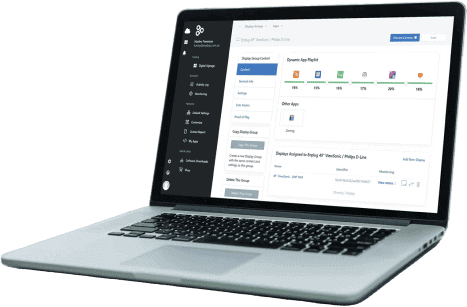
A display is only as engaging as the content running on it. It’s easy to waste the work you put into setting up your event displays by skimping on the design or strategy of your content. Well-designed content leaves a lasting “Wow!” factor with your attendees, and sets the tone for your event’s atmosphere. The content you choose impacts how many displays you’ll need, the type of software you’ll need, the computing hardware you’ll need (media player), and whether you’ll require internet connection. Static Images If you’re only using your screens to display static images, you might want to consider printing banners instead. Logistically much easier, more reliable. You can have it printed and ready to go weeks in advance of your event, and it won’t be a concern on game day. Remember to budget for a graphic designer to design your images if you don’t have one on-staff. Images and Video If you want to show a loop of images and video, you need a simple event display content management system (CMS). You’ll also need to design the images and video, or hire a graphic designer to do so. Custom video is much more expensive to create and will require a more powerful computer to display, so think carefully about whether it’s necessary for the effect you want to achieve. Most digital signage software vendors offer software capable of running images and video, so pick the one that you enjoy using the most. Enplug offers a simple, easy-to-use interface for uploading and scheduling digital assets via our Graphics app. Social Media Walls It has become increasingly popular to use event displays as social media walls, streaming the conversation taking place at the event on Twitter, Instagram, Facebook, etc. If you want to integrate live social media with your display, you’ll need to choose a software that supports this, and you’ll need an internet connection to your display. We discuss internet connections below. Finding a software that supports both social media, images, and video is difficult. Oftentimes, instant social media is also extremely pricey. Enplug supports all three and offers instant social media posts through our social media apps.
Touch-screen
If you want interactive touch-screen way-finding kiosks, you’ll need a custom solution. You can create an app for tablets (iOS or Android), or create custom software for a touch-screen kiosk. In most cases, tablets are the most cost-effective way to create a touch-screen experience for your attendees. You’ll need to employ a mobile app development company to create a custom app, which can become expensive quickly. In most cases, I think the extra money you spend on this custom experience is not worth the added value to your attendees, and you should use an out-of-the-box non-touch solution instead.
If you want to integrate live social media with your display, you’ll need to choose a software that supports this, and you’ll need an internet connection to your display. We discuss internet connections below. Finding a software that supports both social media, images, and video is difficult. Oftentimes, instant social media is also extremely pricey. Enplug supports all three and offers instant social media posts through our social media apps.
Touch-screen
If you want interactive touch-screen way-finding kiosks, you’ll need a custom solution. You can create an app for tablets (iOS or Android), or create custom software for a touch-screen kiosk. In most cases, tablets are the most cost-effective way to create a touch-screen experience for your attendees. You’ll need to employ a mobile app development company to create a custom app, which can become expensive quickly. In most cases, I think the extra money you spend on this custom experience is not worth the added value to your attendees, and you should use an out-of-the-box non-touch solution instead.
3. Other Event Hardware to Consider
Depending on the content you choose to run on your event displays, you may need more than just a TV, power cable, and stand/mount.Media Players
If you choose a software that doesn’t come with your display, you’ll need a media player (computer) to run the software. Below are your options: Laptop You can connect any laptop to a display via a shared input/output between your laptop and the display: HDMI, VGA, DVI, or Display Port. This works for quick-and-dirty event display setups, and may be enough if you’re using a display at your booth. Before doing this, make sure to turn off notifications on your laptop and turn off all applications except your display CMS, so that attendees don’t see embarrassing personal messages. Dedicated PC Similar to your laptop, if you have a spare desktop computer laying around you can connect it to your event display. The upside to this compared to your laptop is that you can still use your laptop during the event. Media Player Media players are small form-factor computers built specifically for running content on digital screens. Because they’re smaller they’re often more convenient than a full desktop computer, or your own laptop. Most media players use a common operating system like Windows or Android, and you can use any event display CMS compatible with that operating system. If your software needs to connect to the internet, make sure you choose a media player which supports the internet connection you’ll have available – either WiFi or ethernet. Media players will run from $50 for a simple USB stick to plug into your TV, to $500 for high-end digital signage computers. At Enplug, we offer a Plug & Play media player for $200 which can be connected to WiFi or ethernet and is managed entirely from web or mobile. Matrix If your event is being held at an event center, chances are high that there is already a network of screens powered by a single computer. I mention this because if your event is taking place in one of these locations, you’ll need to work with your location host to make sure your content and event display CMS will work with their matrix software and/or hardware.Internet Connection
If your content requires an internet connection (such as a social media wall), you’ll need to plan out how you’ll get internet to your displays. You have several options with different pros and cons: Ethernet Connection The most stable option is to run an ethernet cable directly from the nearest internet router to your displays. The downside to this is that it’s a labor-intensive setup and cleanup exercise, and depending on the positioning of your displays it may be impossible to hide the ethernet cables, resulting in a less aesthetically-pleasing end result. WiFi If your event space has a WiFi connection, you can connect your event displays to this network. Make sure to test the strength of the WiFi connection at each of your display locations. The upside to this approach is you won’t need to deal with any messy wires. The downside is WiFi can be weak in certain locations of a building, and WiFi is less stable than ethernet. 3G/4G Hotspot Companies like Verizon and AT&T offer a variety of hardware for creating internet hotspots from their 3G/4G networks. You can treat this hotspot as an internet router, and either plug it into your media player via ethernet or create a WiFi network to connect to. The benefit of this approach is that it’s often the most convenient and flexible. Your hotspot can be located directly behind your screen/projector. If you have a wide area to cover, you may want to consider purchasing multiple hotspots. The biggest problem with hotspots is that you’ll need to verify that your event space will have a strong 3G/4G connection. Oftentimes, convention centers fall outside of core coverage spots. If your event is indoors, the cellular connection may be weakened. Furthermore, if there are tens of thousands of attendees at your events the nearest cell towers may be overwhelmed by the digital traffic, paralyzing your displays. Another downside to this approach is that it’s often the most expensive. Hotspots charge according to the data you use and typically come with annual contracts. Check out FreedomPop for easy hotspots, although their coverage is not as wide as Verizon’s or AT&T’s.4. Event display logistics – where to find help?
Setting up event displays can be a real distraction from getting your event off the ground, and sometimes you’ll want to hire help. Who should you hire and what can you rely on them for? Contractors You can use marketplaces like FieldNation to find individual contractors who have experience transporting, mounting, and troubleshooting event displays. Post your job online with your budget, and let vetted contractors reply to your posting and bid on the opportunity. An individual contractor will require you to provide clear instructions, and is unlikely to provide additional expertise on choosing screens or software. If you have a large number of event displays to set up, you’ll also likely need more man-power. You should be able to hire a single contractor for around $300 for a simple setup and teardown event. AV Companies / Systems Integrators If you have a complicated network of screens to set up (more than 10 event displays with internet requirements), you may want to consider hiring a professional company that manages complex installations. The right company should be able to advise you on the software and screens you should choose, if you don’t have them already. They should also be able to troubleshoot common software and internet issues, and will have more man-power available to help with setting up your displays. This approach will be much more expensive than a single contractor. Event coordinator If you need assistance not only with setting up screens and software, but also with designing your overall digital event marketing strategy, you should consider hiring an event coordinator. You can hire a project-based individual, or an entire event coordinator company. This will be the priciest option as this individual will likely need to sub-contract an AV company or contractor to help with the screen setup.Pro Tips
1. Test your TVs, computers, display software & content management software (CMS), and internet connection thoroughly and well in advance (1 week) of the event. If one of these components fails on the day-of, you won’t have much flexibility available to solve the problem on a moment’s notice. Make sure to test the internet connection at each of the locations of your displays if you’ll be dependent on a strong connection. 2. Leave as much time as possible for setting up your displays. This is the most difficult part. Once they’re up and running, you’ll usually be in the clear. 3. Make sure you have one person responsible for keeping an eye on your displays. If something goes wrong with the TV, software, or internet connection, your team will need to respond quickly to avoid affecting the event attendee experience. *** Enplug digital signage software was co-founded by CEO Nanxi Liu and CTO Tina Denuit-Wojcik in 2012 to enable organizations to use customized real-time streaming content to create engaging external and internal communications.on December 22, 2014 5:07 pm